Client surveys
Questions about lifestyle and needs, with sections assigned to rooms. Clients answer at their own pace; you review and close the survey.
Arcosy replaces emails, spreadsheets and chat threads. Your client answers the survey, comments on the exact spot of a visualization and approves products, while you see what is waiting for you – across all projects at once.
No credit card. In English and Polish.
Every studio has its own way of working, but the problems are the same.
Arcosy runs the project room by room. Everything has its place, and its room.
Questions about lifestyle and needs, with sections assigned to rooms. Clients answer at their own pace; you review and close the survey.
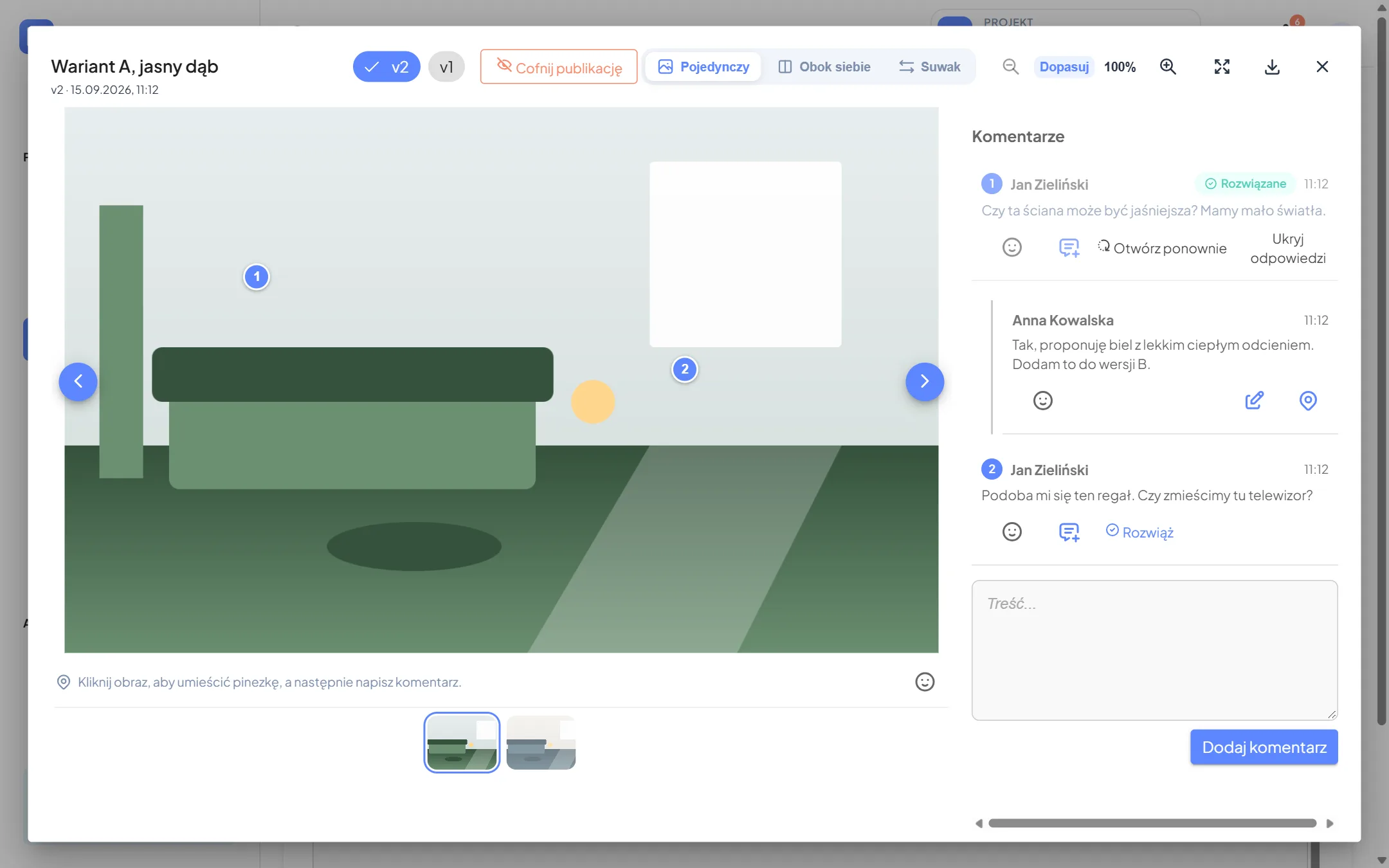
Versions, side-by-side and slider comparison. The client clicks the picture and writes the comment exactly where it belongs.
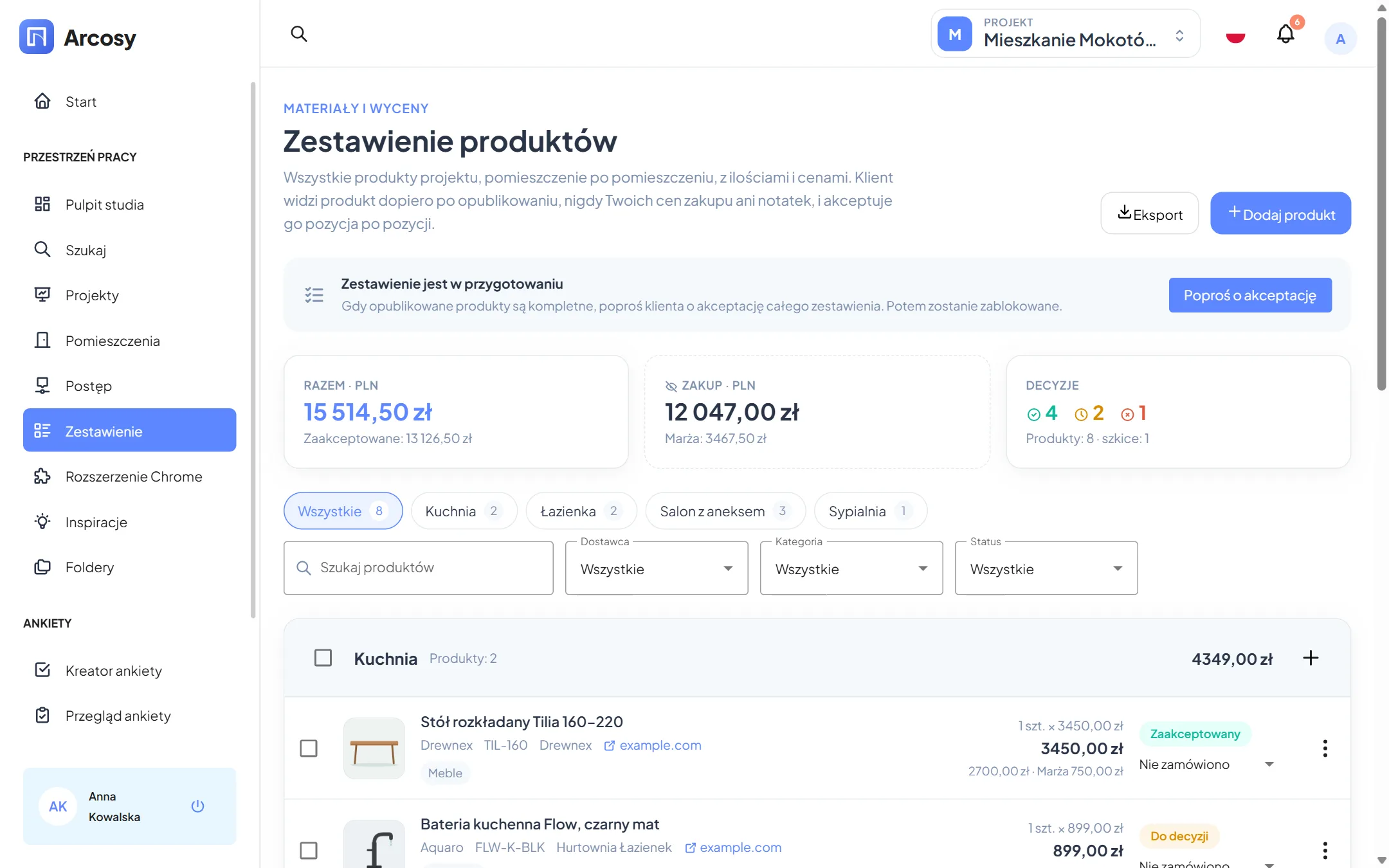
Products with quantities and gross prices for every room. The client approves items; you see your margin and the order status.
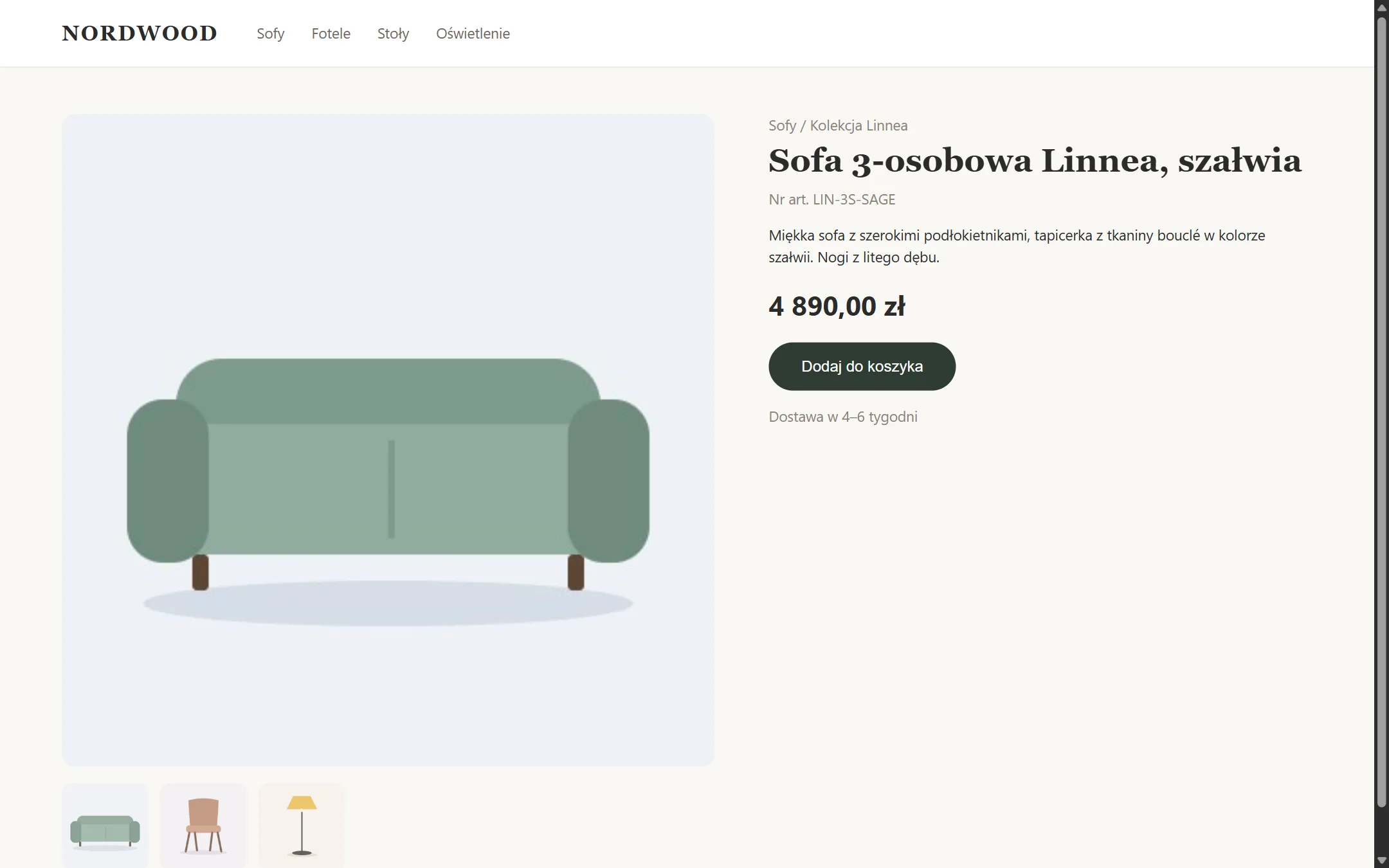
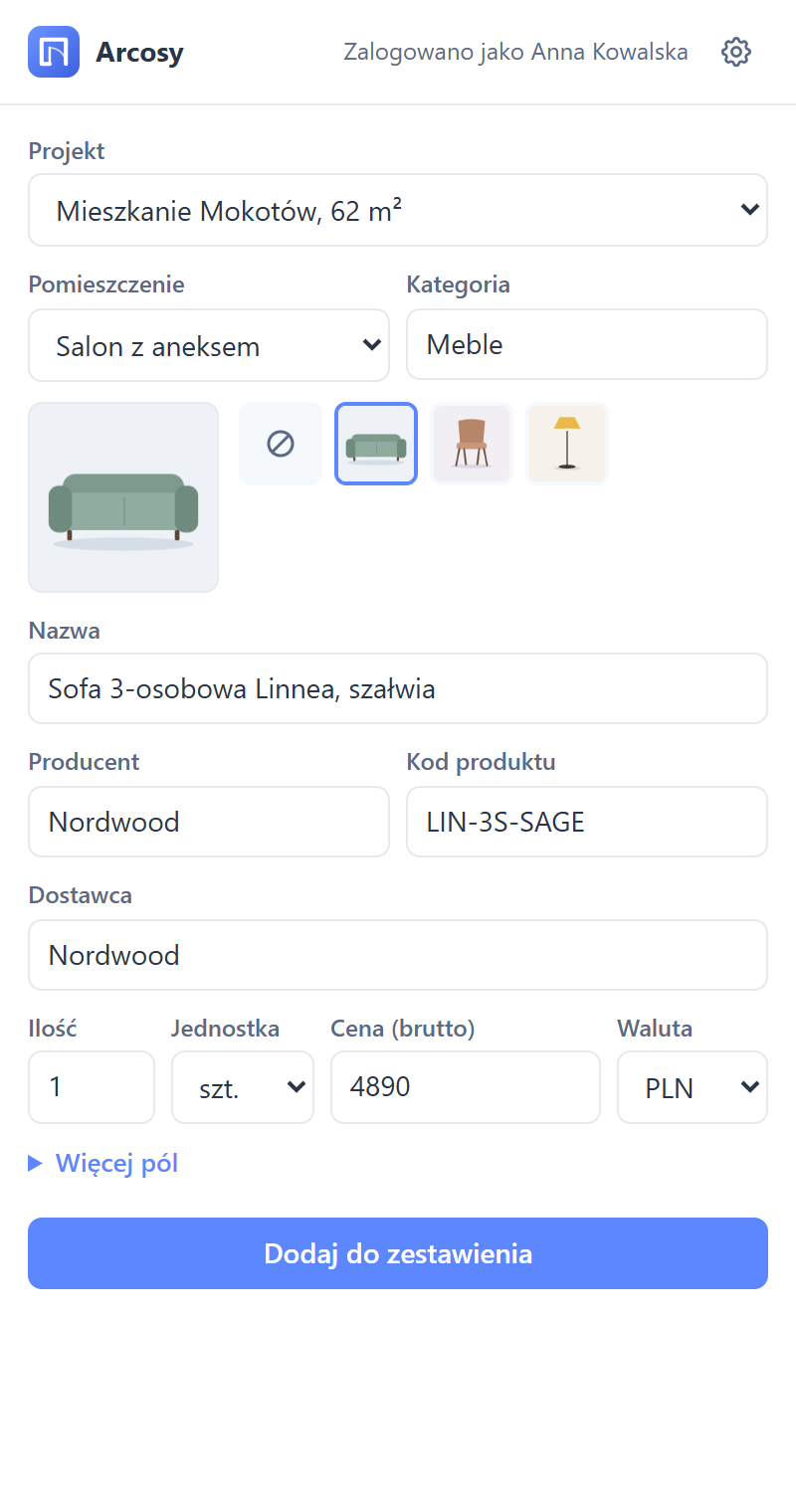
One click on a shop page: name, manufacturer, code, price and picture go to the product list of the project you choose.
Requirements, layout, 3D design, materials, execution. The client approves a stage; later wishes come in as change requests.
Everything about the kitchen or the bathroom on one page: survey answers, visualizations, inspirations, comments and products.
Clients add the links and pictures they like, assigned to a room and with their own comment.
Floor plans, PDFs and photos organised in room folders – always at hand, for the client too.
Unanswered surveys, open discussions, stages awaiting approval and projects where the client has been silent for two weeks.
A new comment, a client decision, a published version – the bell updates by itself, no page reload needed.
A studio with teams, leaders and managers. A project belongs to a team, and everybody sees only what they may see.
The client version or the internal one with purchase prices, the whole list or one supplier’s part – an order ready to send.
Screenshots of the app with the sample project “Mieszkanie Mokotów, 62 m²” (the app is shown in Polish here).
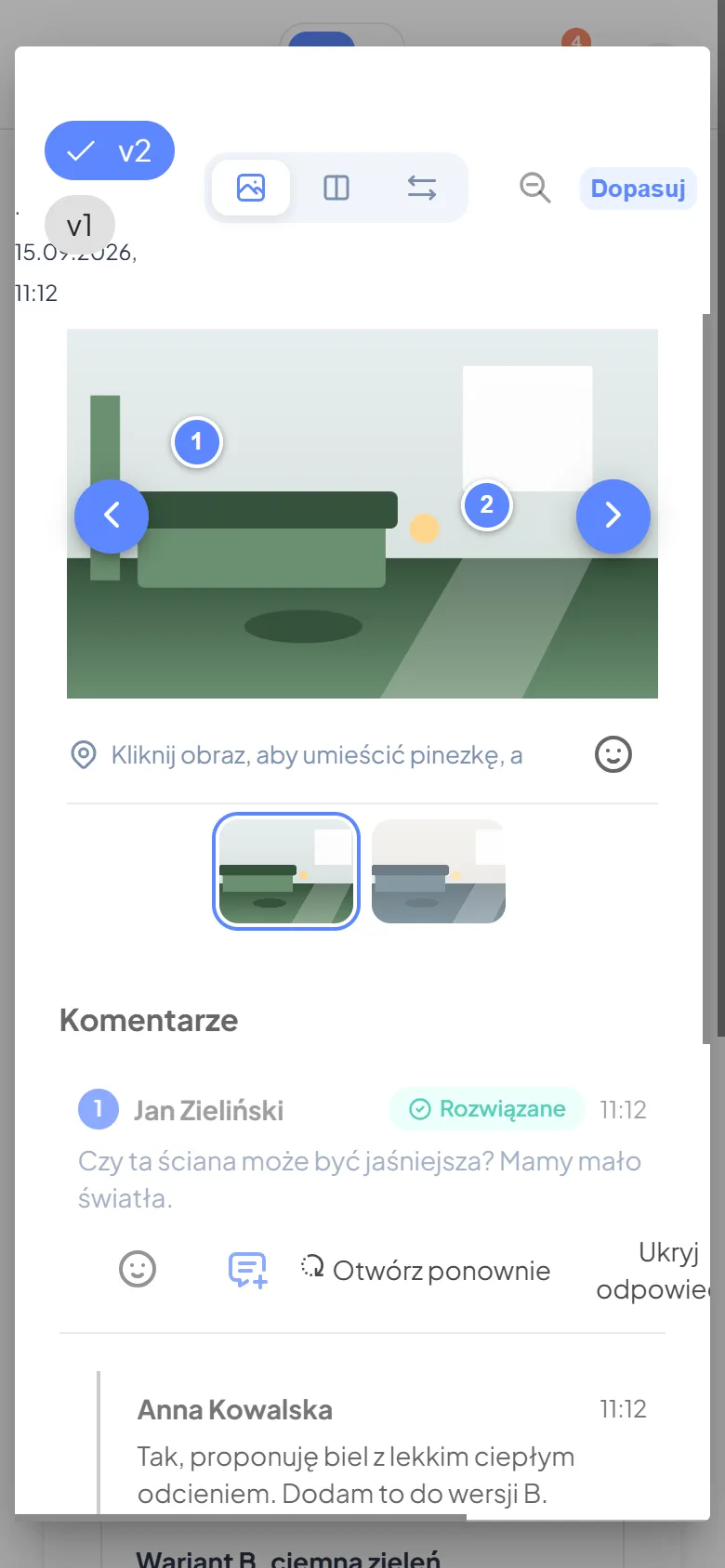
You upload new versions of a visualization, and the client comments with pins. Every comment has a thread, replies and a “resolved” status, so nothing gets lost between versions.
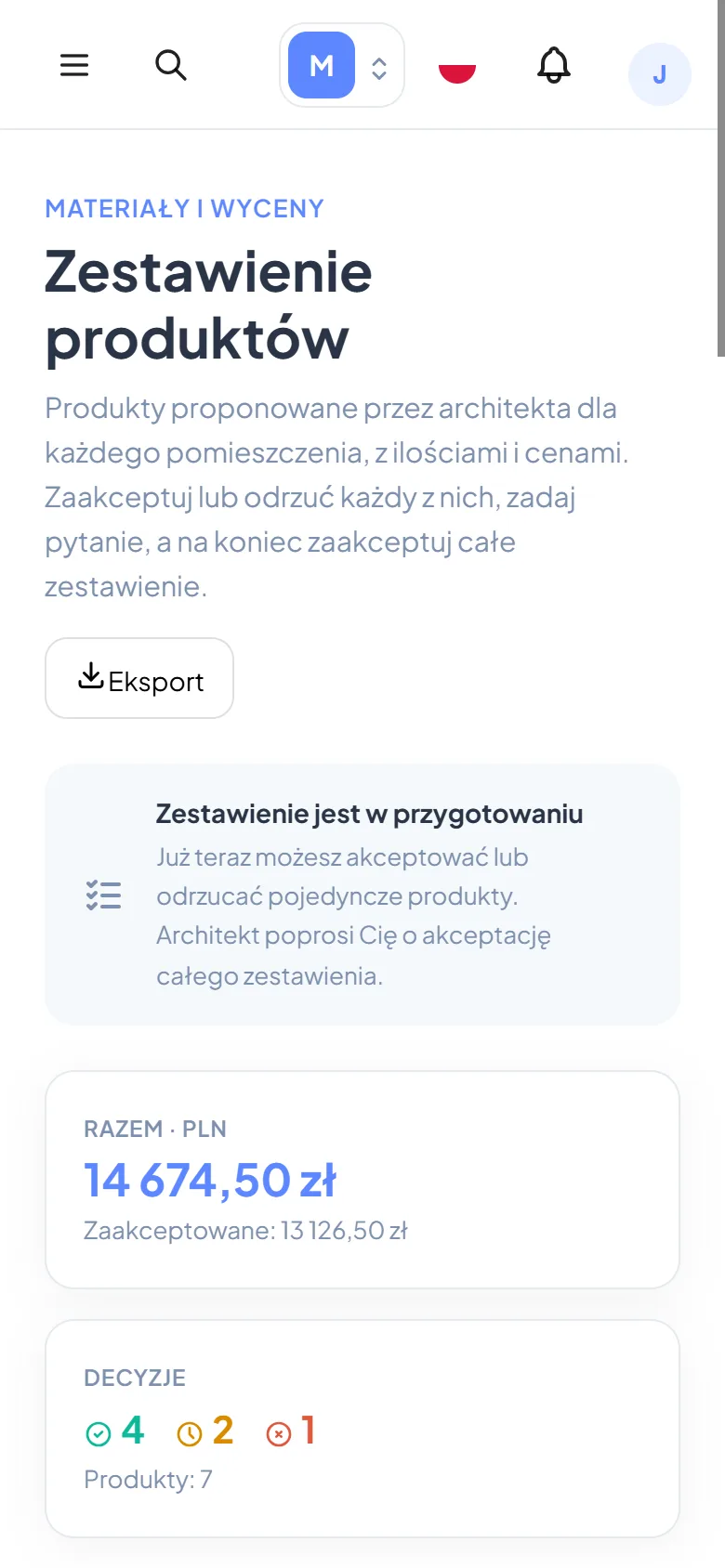
Products grouped by room, with quantities, gross prices and totals. Purchase prices and notes stay with the team, and you see your margin at a glance.
Looking at a sofa in an online shop? Click the Arcosy icon. The extension reads the name, manufacturer, code, price and pictures; you pick the project and the room.
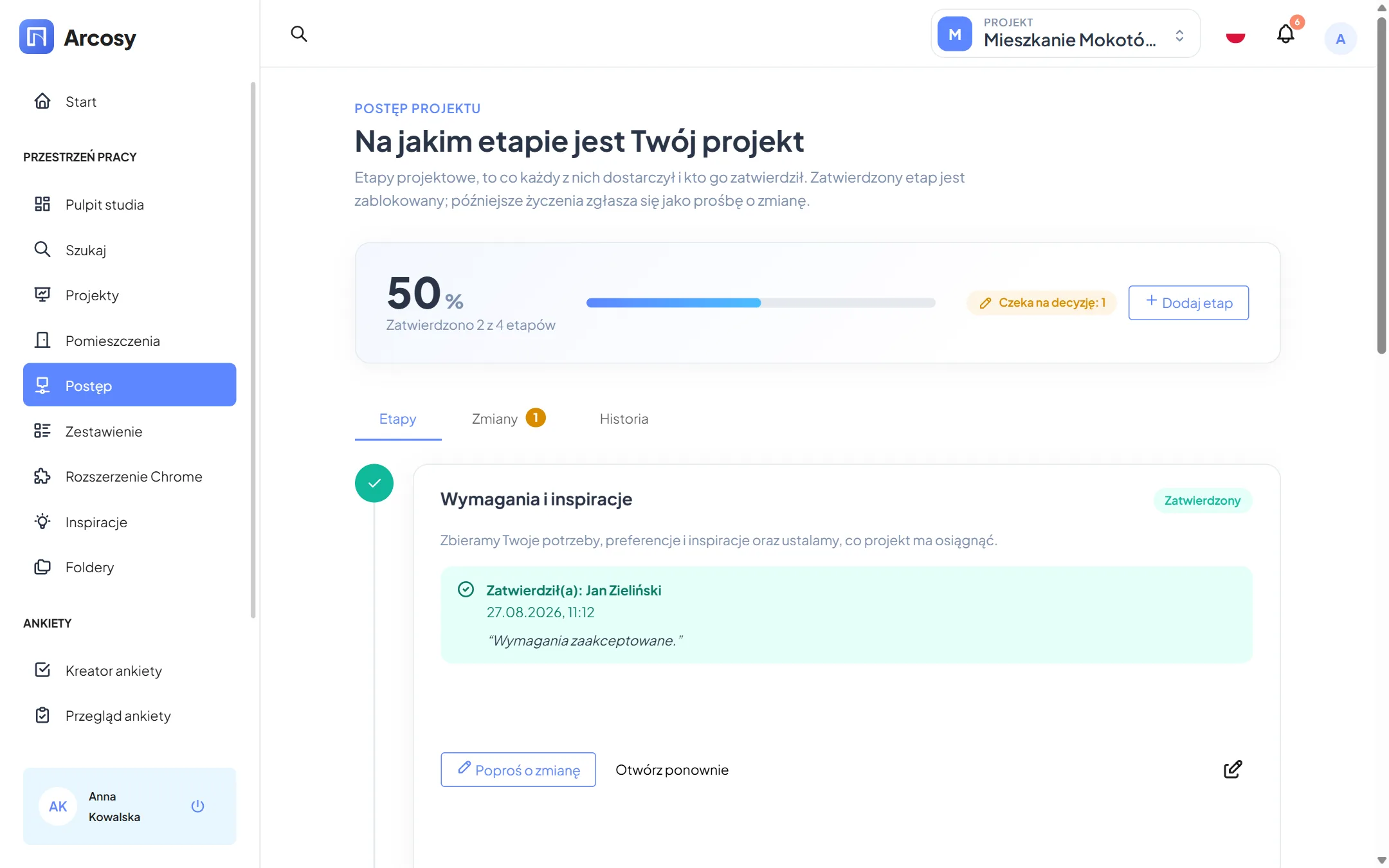
The project moves through its stages. The client approves each one with a click, and Arcosy records who and when. After approval, changes come in as change requests – with a decision and a history.
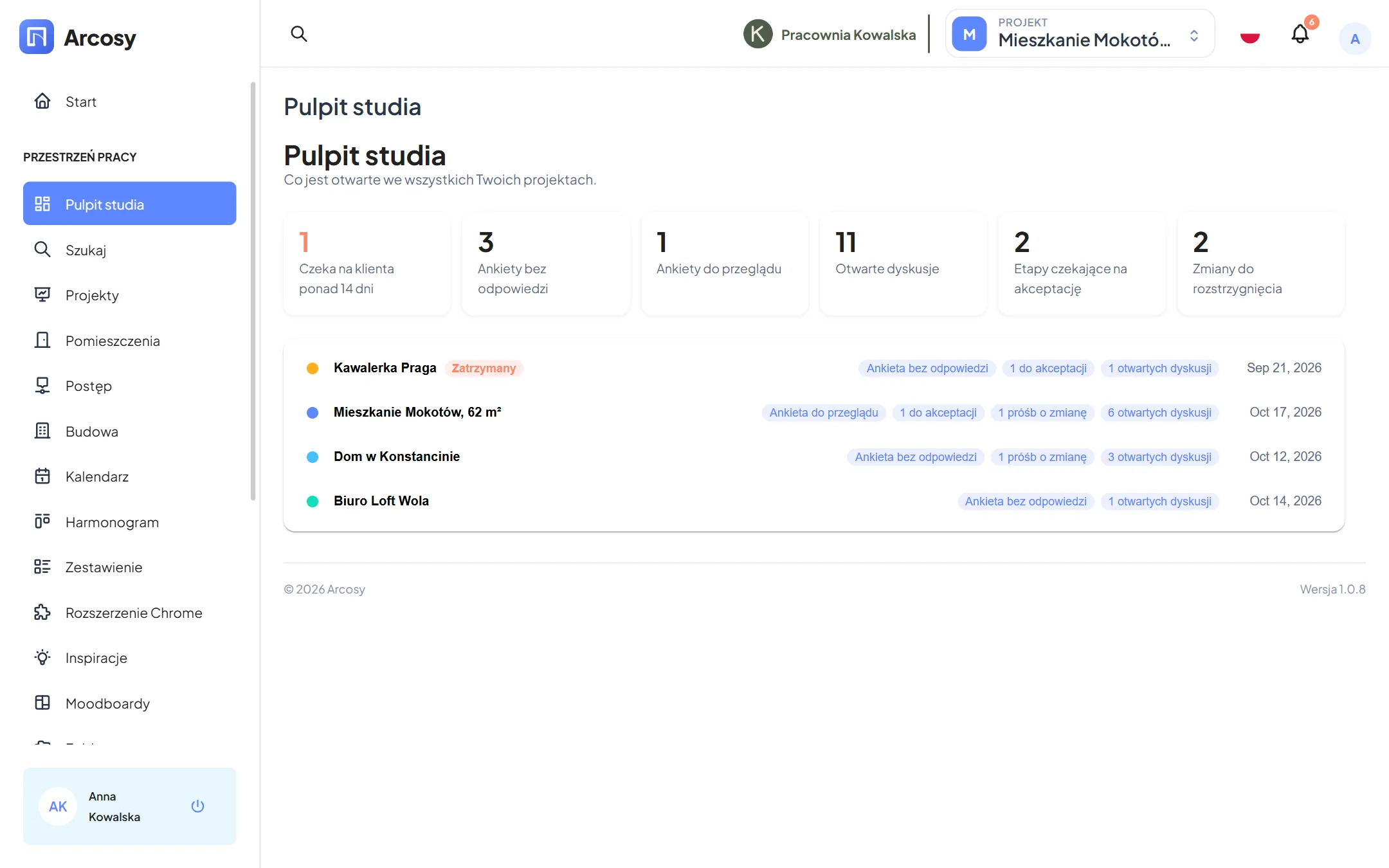
The studio dashboard collects what is open: surveys unanswered and to review, discussions, stages awaiting approval, change requests and projects where the client has been quiet for 14 days.
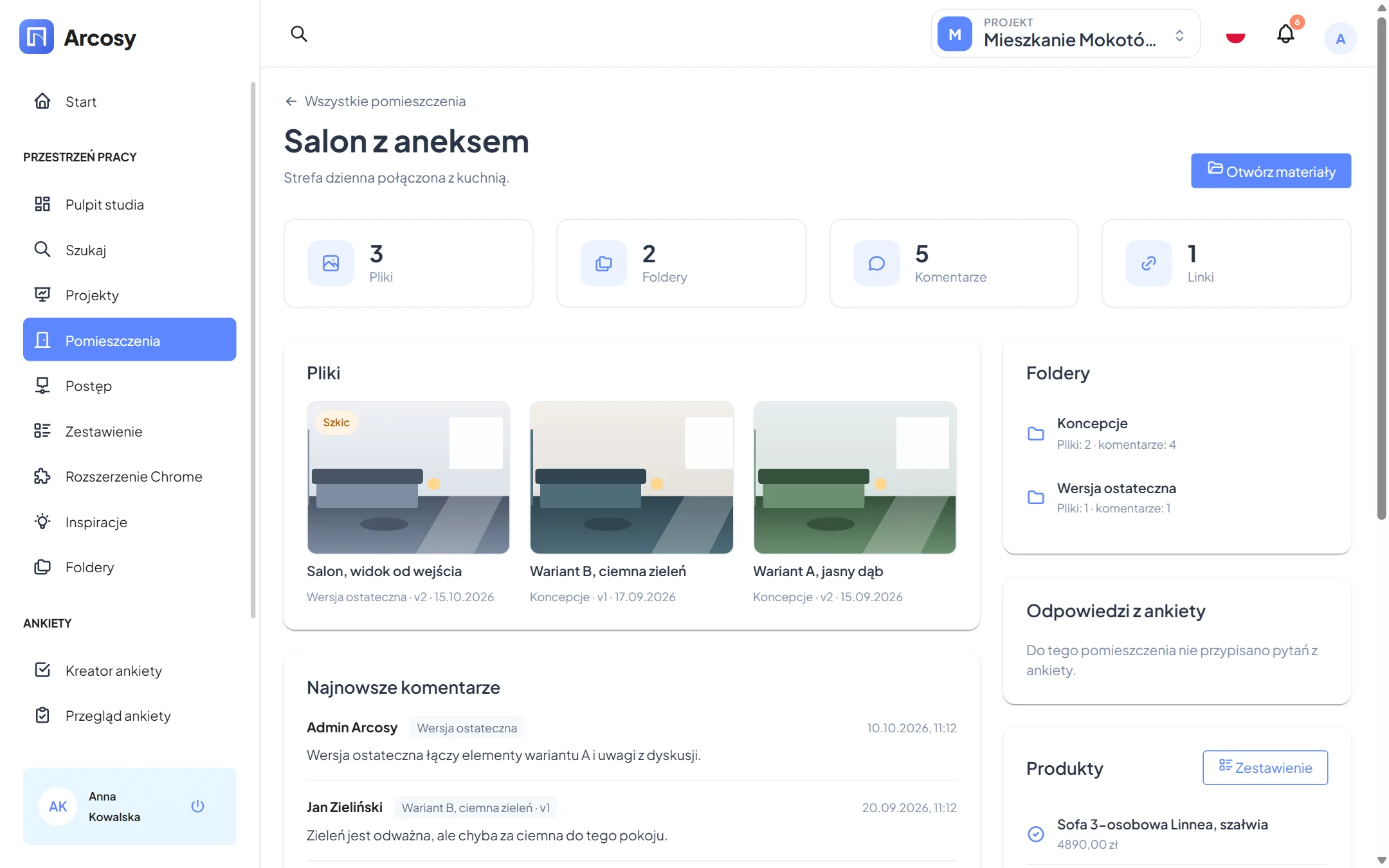
The room dashboard brings together the survey answers, visualizations, inspirations, files, comments and products of that room. You build the survey from a template and assign sections to rooms.
This is what a typical project in Arcosy looks like. Each step takes a few minutes.
Sign up with your email or your Google account. Create your studio and a team – work alone or invite colleagues.
Team leaders start projects, managers invite people.
Choose the “Flat” or “House” template. Arcosy adds rooms, folders, a survey with sections for the rooms and the project stages right away.
You can change everything later and add your own rooms.
Enter the client’s email address. They get an invitation link, create an account (or sign in with Google) and see their project right away.
Clients only see what is published – drafts stay with the team.
The client fills in the survey room by room and adds inspirations: links and pictures with a comment. You review the answers and close the survey.
Answers appear on the room dashboards immediately.
Upload visualizations to the room folders and publish them. The client comments with pins, you reply and upload the next version.
The comparison slider shows what changed between versions.
Add products in the app or with the extension straight from the shop. Publish the finished items – the client approves them or rejects them with a reason.
Changing a price or a product takes the client’s decision back, so everything stays fair.
Ask for approval of the “Materials and quotations” stage. Once approved, the list is locked and you export the orders for each supplier and track their status.
Later changes come in as change requests – with a decision in writing.
An ordinary day in the studio – without digging through emails or retyping spreadsheets.
One page shows what needs your attention: two surveys to review, a stage waiting for the client’s decision, a project where the client has been silent for two weeks.
You open the kitchen dashboard: survey answers, the client’s inspirations and the latest comments. You note the decisions right away as a comment in the room.
You browse shops and add a lamp and a table to the project’s product list with one click – with price, code and picture. No copying into a spreadsheet.
You upload the revised visualization and publish it. The client gets a notification, and the old comments stay with the previous version.
On the tram, the client approves the sofa and rejects the armchair with “we would rather have a pouf”. You see it right away, with the total of approved items.
The product list is approved. You export an XLSX order for each supplier and tick them off: ordered, delivered, installed.
Questions, comments and decisions sit next to the thing they are about – not in your inbox.
Every approval has a date and a name. No more arguing about what was agreed.
The product list adds up by itself, and a price change takes the client’s decision back.
Instead of retyping products and answers, you spend your time designing.
Your client installs nothing. They open the link, sign in and see only their project.
Arcosy is in its testing phase: today every feature is free. This is how we plan the plans after launch:
For the designer who wants to try.
Freeforever
For a busy studio.
Coming soonper designer / month
For studios with a team.
Coming soonper team
We will announce prices before the testing phase ends. Accounts created now keep all their data.
No. Arcosy runs in the browser on a computer and a phone. The client gets an email invitation, creates an account (or signs in with Google) and sees the project right away.
No. Purchase prices, margin and internal notes are visible to the team only, and the server never sends them to a client account. The client sees only published products with the prices you propose.
Yes. A studio can have several teams, each with leaders, managers and members. A project belongs to a team, and everybody sees only the projects they have access to.
Chromium-based browsers on a computer: Chrome, Edge and Brave. You download it from the app, which also has step-by-step installation instructions.
Yes, to PDF and XLSX – the client version or the internal one with purchase prices; the whole list, one room or the order for one supplier.
Sign-in uses a secure session (an HttpOnly cookie), changes are protected against CSRF attacks, and every request checks the permissions for the project. Clients only see their own projects.
English and Polish. Every user picks their own language, so a client abroad can work in English.
Create an account, start a project from a template and invite your client – in fifteen minutes.